(ITSD-UG30) Travelport / GAL - Updating the Queue Panel
Travelport / GAL - Updating the Queue Panel
Purpose
To details the steps to update your own Queue Panel from within Gal .
Prerequisites
Working Gal Log in
Steps
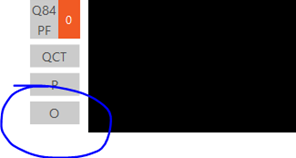
To update your Q Panel, please click on the ‘O’ (Options), to the side of the PNR Terminal Screen in Galileo Smartpoint:
In the ‘Queue Count Options’ pop-up window, complete as shown below, with your own Q number and category, for each PCC (you can add these in the order of your preference):
Click Save and you will see your new details as shown below (note you may not see any new ‘Qs’ straight away. These are updated every 15 minutes)
Legend
[Explanation of terms]